
Why visual context must be reproducible
Point-cloud work is iterative: teams isolate a facade, service zone, floor or inspection area, make decisions, then move elsewhere in the scan. A normal crop is temporary display state. Once replaced, the exact boundary and cloud participation are easy to lose, which makes review comments harder to verify and drawings harder to hand over.
A managed crop state is a controlled view of the source scan. It records the crop under a meaningful name so the same spatial context can be reapplied in AutoCAD or BricsCAD. The value is not faster clicking; it is consistency between modelling, checking, revision and handover.
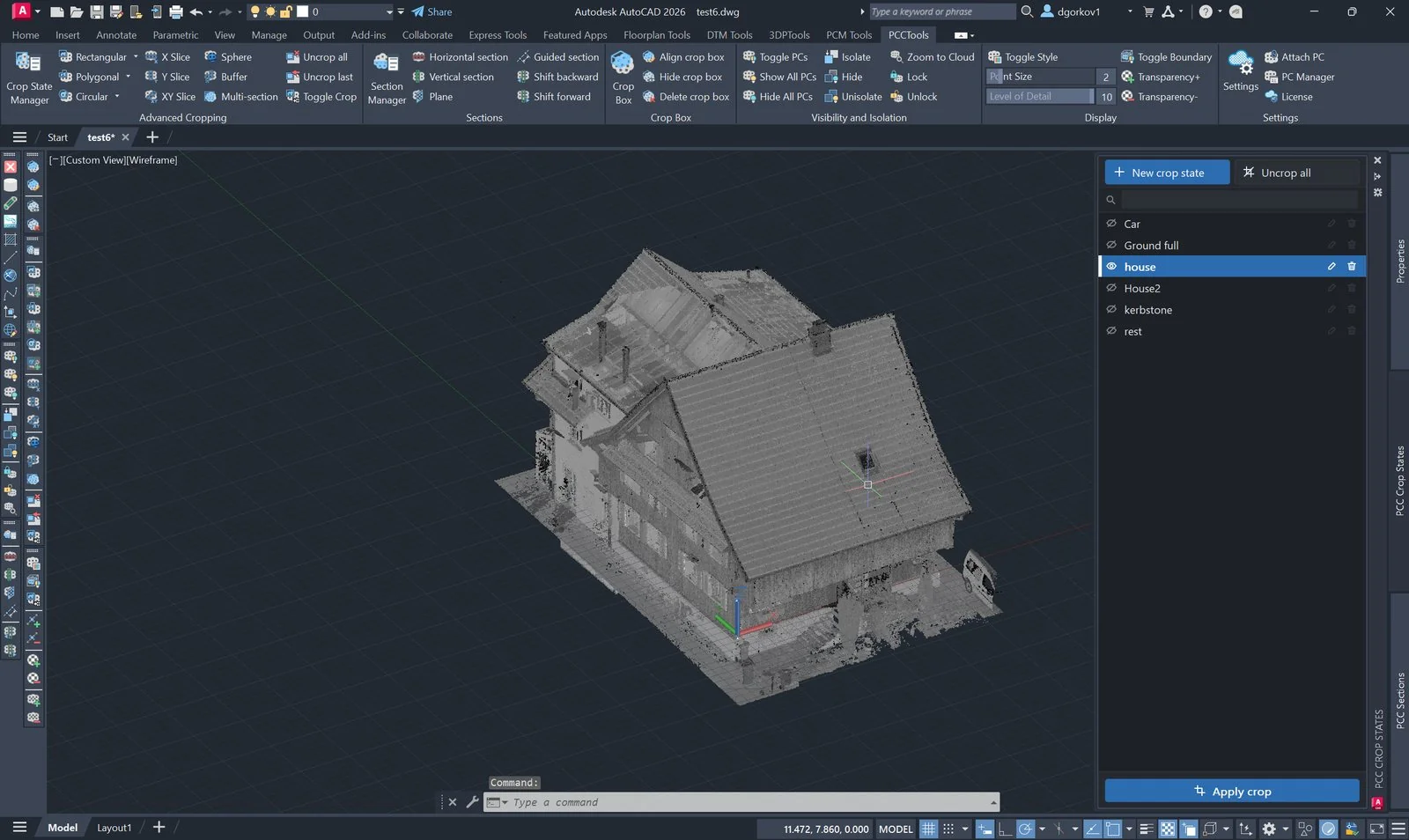
What a crop state should represent
Save a state when the crop corresponds to a stable project concept: a deliverable extent, inspection zone, issue location, modelling work package or approved review view. Do not save every exploratory crop. An uncontrolled list becomes as difficult to interpret as having no saved states at all.
| Good candidate | Poor candidate |
|---|---|
L02_EastFacade_SurveyReview | Crop 7 |
Plantroom_Pipework_IssueB | New test |
Road_CH120-180_DesignCheck | Denys view |
Useful names normally encode where the state applies and why it exists. Add revision or status only when the state itself is revision-controlled; otherwise the drawing revision already supplies that context.
A lightweight governance model
- Owner: identify who may replace or delete project-standard states.
- Naming: use one pattern across the project and avoid personal or chronological names.
- Purpose: distinguish working views from review or deliverable views.
- Retention: remove obsolete exploratory states before issue, but preserve any state referenced by a decision or drawing.
- Validation: after applying a state, confirm both its spatial extent and the clouds to which it applies.
Why drawings with several clouds need extra control
A project may divide a site by scan date, discipline or spatial zone. A state can look correct on one cloud while another remains uncropped or carries an older definition. The manager therefore coordinates state geometry across the group of attached clouds, and the drawing also stores a replayable recipe so a cloud attached later can join a current state.
Cloud membership matters as much as boundary geometry. Before issue, audit which clouds carry the state and which state is active; do not judge completeness only from the visible result.
Audit, migration and recovery
PCCSLIST reports state coverage and the state currently applied. PCCSSYNC distributes missing state geometry to applicable clouds, including a cloud attached after the state was created. These checks are particularly important after replacing scan references or opening drawings created by an earlier PCCTools version.
Legacy states that contain a name but no replayable geometry should first be applied on a cloud that still carries the crop, then synchronised. That lets PCCTools capture the boundary as a drawing-level recipe. If no cloud retains the original geometry, the state name alone is not sufficient evidence to reconstruct the crop.
Applying the policy in PCCTools
- Create and verify the crop that represents the agreed project view.
- Open
PCCROPSTATEMANAGERin AutoCAD or BricsCAD and save it with the project naming convention. - Apply the state again and confirm the result on every relevant attached cloud.
- Run
PCCSLISTfor issue-critical drawings; usePCCSSYNCwhere coverage is incomplete. - Rename or remove obsolete working states before handover, retaining states tied to review records or deliverables.
The manager supports save, apply, rename and delete without leaving the drawing. The active marker identifies a state applied through the manager; a crop produced directly by another command is intentionally not treated as a named state until it is saved.
Common failure modes
| Observation | Interpretation and response |
|---|---|
| A state affects only some clouds | A later cloud is missing the stored recipe or is outside the intended command set. Audit with PCCSLIST, check settings and synchronise. |
| The view is cropped but no state is active | The crop was created directly rather than recalled. Save it only if it represents a controlled project view. |
| Several similarly named states exist | The naming convention does not express purpose or status. Consolidate only after confirming which state is referenced by project records. |
| A legacy state has no geometry | Apply it on a cloud that still contains the crop, then run PCCSSYNC to capture and distribute the recipe. |